Features built for mastery
Every LearnX capability is designed to keep learners progressing and instructors informed.
From adaptive practice to AI tutoring and analytics, you get a connected toolkit that stays in sync with your syllabus.
Every LearnX capability is designed to keep learners progressing and instructors informed.
From adaptive practice to AI tutoring and analytics, you get a connected toolkit that stays in sync with your syllabus.
A unified academic calendar that auto-syncs classes, remedials, exams, and events for every user. Faculty updates reflect instantly for students, ensuring zero confusion and clean scheduling across the institution.

A smart curriculum builder that supports programs, semesters, subjects, and splits. Everything stays versioned, structured, and instantly accessible to both faculty and students.
Create, publish, review, and grade assignments with complete transparency. Students get real-time alerts, due dates, and submission tracking—all in one screen.

Build quizzes in minutes with objectives, MCQs, or mixed formats. Live attempts, auto-evaluation, results breakdown, and analytics make assessments faster and error-free.
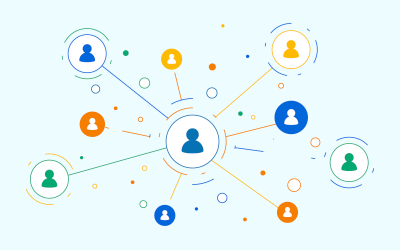
Auto-generated cohorts based on academic year, program, and subjects. Perfect for announcements, attendance, group assignments, and quick communication within the same batch.

A central library for study materials—videos, PDFs, notes, and external links. Faculty can upload resources once, and learners can access them anywhere, anytime.
Attendance tracking that actually works—daily, subject-wise, or session-based. Real-time insights help faculty spot patterns, while students get a clear view of their progress.

A fast, structured communication system. Auto-created groups for students, faculty, and departments ensure the right people stay connected. Share files, updates, or study materials instantly.
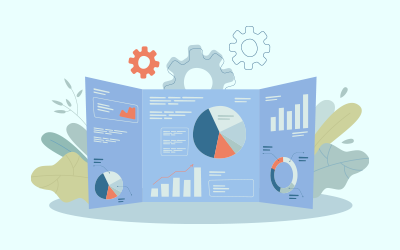
A data-driven dashboard showing situation alerts, action counts, student performance, and academic activity. Designed for admins and faculty to get a quick pulse on what needs attention—no digging required.

Define programs, academic levels, semesters, subjects, grading systems, and splits with full control. Changes update seamlessly across cohorts, timetable, and assessment modules.

Teacher profiles, workload mapping, subjects handled, attendance management, and performance insights—everything faculty needs consolidated in one place.

Student onboarding, profiles, academic details, attendance, submissions, results, and communication. Clean, organized, and fully integrated across all modules.

Schedule remedial classes or extra sessions without messing up the calendar. Conflicts and duplicates are auto-checked to keep the timetable clean.

Instant reminders for classes, exams, due dates, submissions, low attendance, and institutional notices. Delivered in-app and via email.
Admins, faculty, students, staff—each role gets the exact tools they need. Clean permissions = clean workflows.